In this tutorial we will show you how to setup a badge in Shopify using metaobjects and reference entities from Akeneo and allow them automatically sync. That gives you a single place for edition.
In Akeneo
Step 1 – Setup Akeneo entities
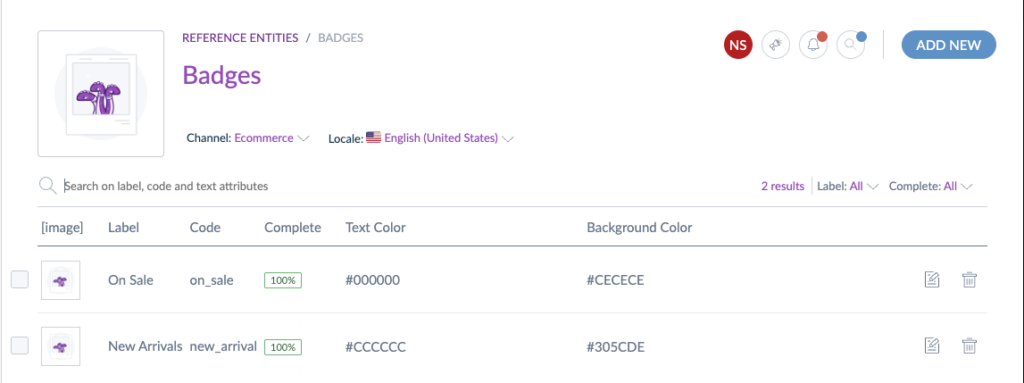
Step 2 – Update the mapping
Access Connect -> Connected Apps -> Open App -> Choose Store -> Metaobjects
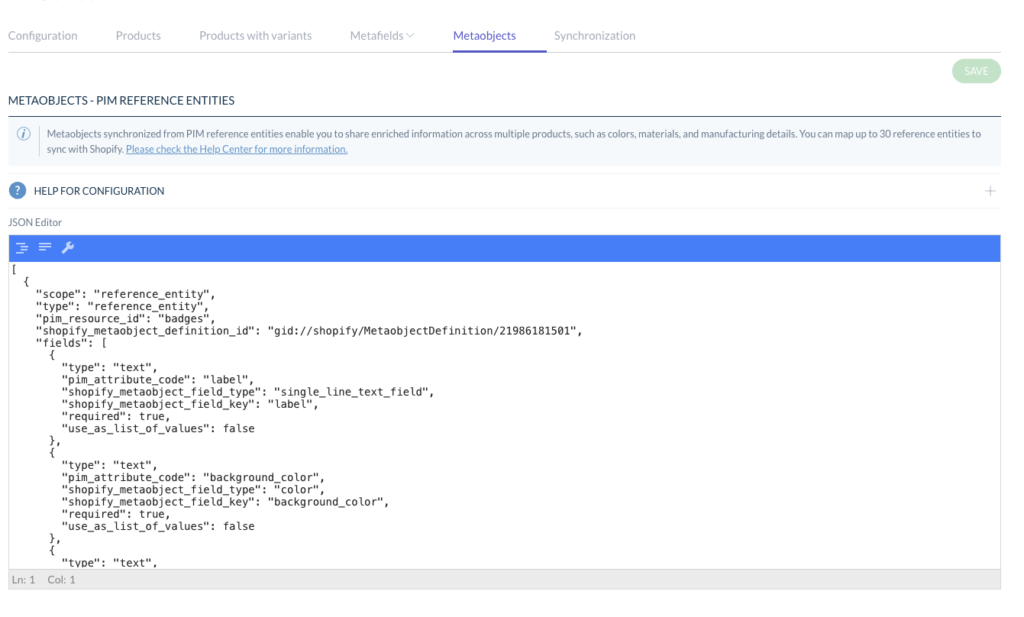
then use the example below:
[
  {
    "scope": "reference_entity",
    "type": "reference_entity",
    "pim_resource_id": "badges",
    "shopify_metaobject_definition_id": "gid://shopify/MetaobjectDefinition/21986181501",
    "fields": [
      {
        "type": "text",
        "pim_attribute_code": "label",
        "shopify_metaobject_field_type": "single_line_text_field",
        "shopify_metaobject_field_key": "label",
        "required": true,
        "use_as_list_of_values": false
      },
      {
        "type": "text",
        "pim_attribute_code": "background_color",
        "shopify_metaobject_field_type": "color",
        "shopify_metaobject_field_key": "background_color",
        "required": true,
        "use_as_list_of_values": false
      },
      {
        "type": "text",
        "pim_attribute_code": "color",
        "shopify_metaobject_field_type": "color",
        "shopify_metaobject_field_key": "color",
        "required": true,
        "use_as_list_of_values": false
      }
    ],
    "use_as_variation_axis": false,
    "metafield_attributes": [
      {
        "pim_attribute_code": "badge",
        "shopify_product_definition_id": "gid://shopify/MetafieldDefinition/268996247933",
        "shopify_variant_definition_id": null
      }
    ]
  }
]
Important to update:
1. Metaobject ID gid://shopify/MetaobjectDefinition/21986181501
2. Metafield ID gid://shopify/MetafieldDefinition/268996247933
Save and sync, all entries on akeneo will then be updated in Shopify. You also need an attribute to link into products:
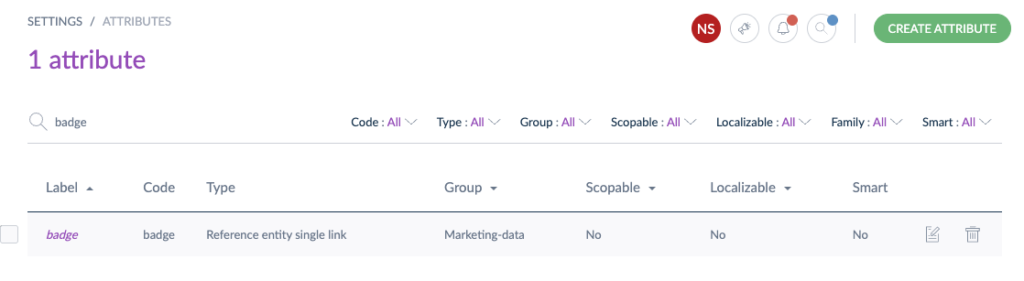
With that, the Akeneo edit page will look like this:
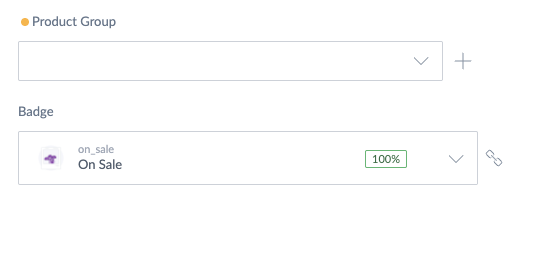
That is all!
Further reference look at docs at https://help.akeneo.com/shopify-app-features/shopify-app-reference-entity-mapping
Leave a Reply